For professionals
Meetings that move work forward.
Capture interviews, discussions, and decisions. Return to a useful summary instead of replaying the whole conversation.
Client callsInterviewsStandups
Vocario turns meetings, interviews, and lectures, in any language, into transcripts, summaries, and action items, using your own Gemini API key. No account required.
From audio to action
Six steps from the moment someone starts talking to a summary your team can act on.
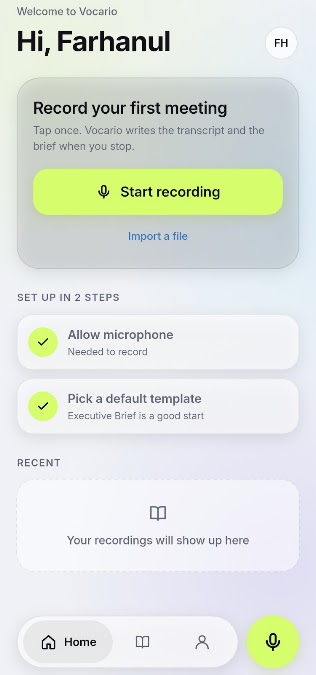
Start recording a meeting, lecture, or interview instantly, or import an audio file you already have.
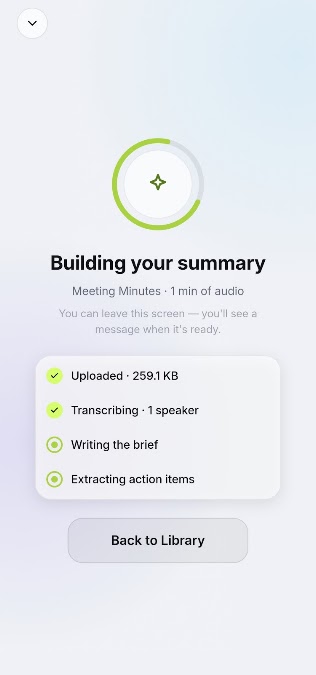
Vocario uploads, transcribes with speakers, writes the brief, and extracts action items. You can leave the screen and get a message when it's ready.
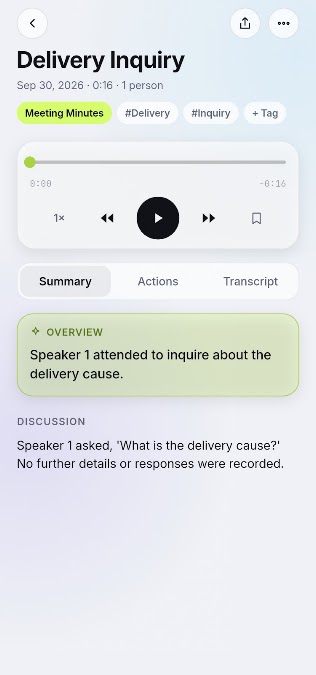
An overview, the discussion, and the decisions, structured the way you work. Tag recordings so you can find them later.
Commitments come out as a checklist with owners and due dates. Tick them off or share them with the team.
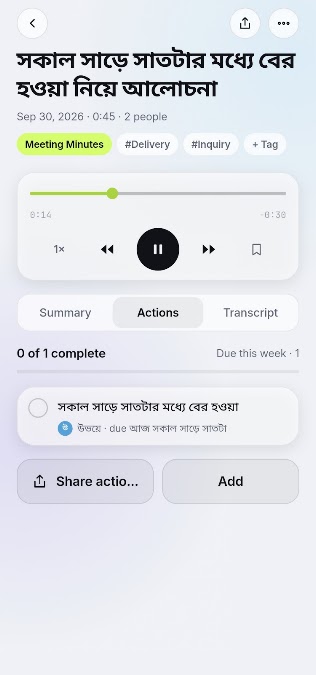
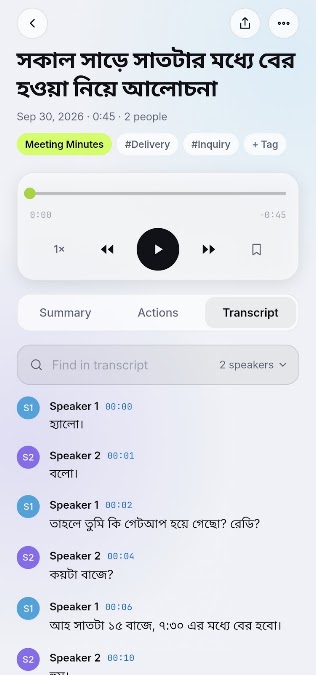
A searchable, timestamped transcript labelled by speaker, in any language, Bangla included. Jump back to the exact moment.
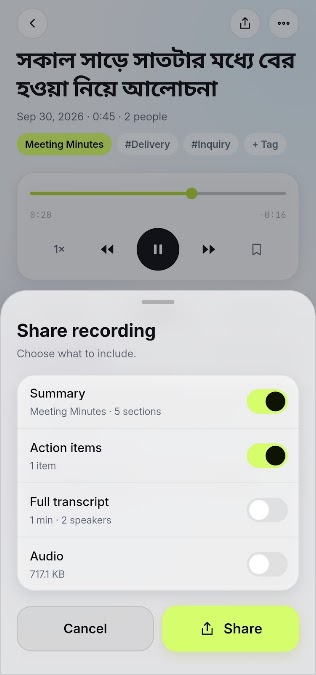
Choose what to include, whether that's the summary, action items, full transcript, or audio. Nothing else goes with it.
Built for real conversations
Capture in one tap, bring in what you already recorded, and turn long conversations into notes you can use.
Record, transcribe, and summarize conversations in whatever language they happen in. Bangla gets first-class care, from Bangla-first workflows to Bangla transcripts and briefs.
সকাল সাড়ে সাতটার মধ্যে বের হওয়া নিয়ে আলোচনা
Connect your personal Gemini API key. AI requests go straight from your device to Google.
Gemini API key
AIza••••••••••••••••••••••Q7
No email, no password, no sign-up. Open the app and start recording.
Already recorded it? Bring the file into Vocario and get the same transcript, brief, and actions.
Transcripts are labelled by speaker and timestamped, so you can find any moment fast.
Privacy without the small print
There's no Vocario cloud between you and your notes. Here is the whole path your audio can take.
Your device
Recordings & app content stay here
Google Gemini
Processes your request under Google's terms
Connect your own Google Gemini API key. Vocario does not operate a shared AI account on your behalf.
Start using the app without handing over your email address or creating another login.
Recordings and app content stay on your device unless you choose to use an AI feature.
When you request a summary, the selected content goes directly to Gemini under Google's terms.
Made for focused people
Capture interviews, discussions, and decisions. Return to a useful summary instead of replaying the whole conversation.
Record a lecture in any language and turn it into structured notes, Bangla lectures and study groups included.
Frequently asked
No. Vocario is designed to work without a Vocario account or sign-up.
Vocario keeps recordings and app content on your device. Content you choose to summarize with AI is sent to Google Gemini using your API key.
It is a personal key from Google that lets the app request AI processing directly for you. Google’s own terms and usage limits apply.
Any language. Vocario records, transcribes, and summarizes conversations in whatever language they happen in.
Yes, and it is a first-class focus. Bangla is supported end to end, from Bangla-first recording workflows to Bangla transcripts, summaries, and action items.
Not yet. The iPhone and iPad release is coming soon; Android and Windows versions are available now.
Available now
Download Vocario for Android or Windows. The Apple App Store release is coming soon.
Need it for a whole organisation? Brain Station 23 builds tailored enterprise solutions.